Make relationships explicit
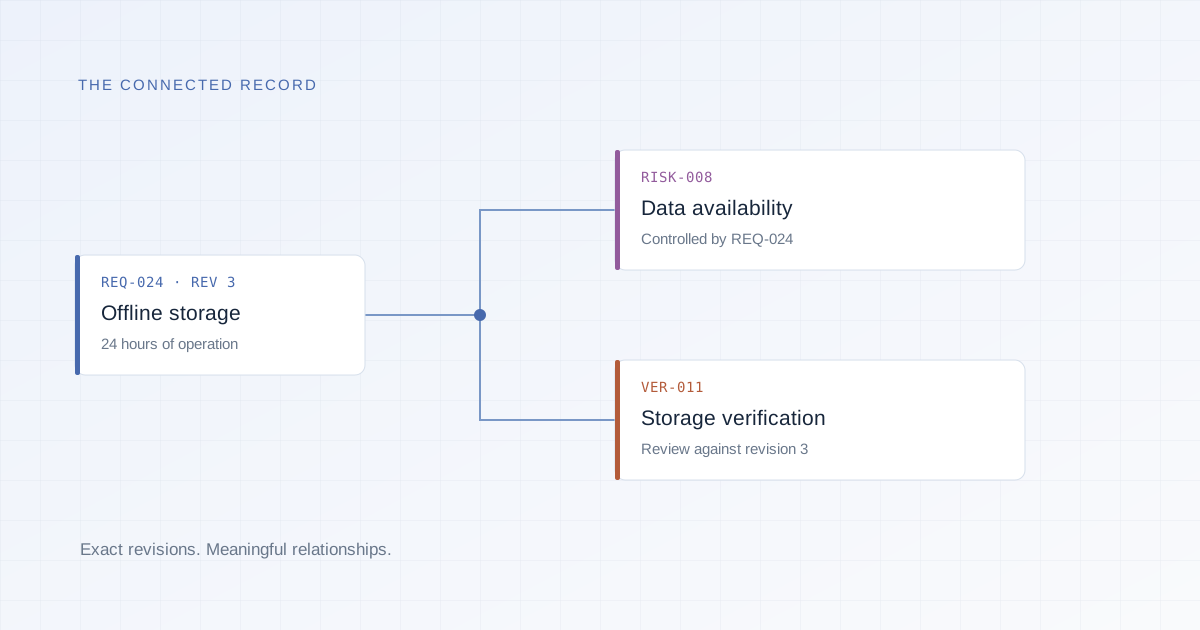
Use typed links to describe how records define, control, verify, or support one another. Inspect a focused graph or a matrix without losing the underlying record.
Typed links · Focused graphs · Trace matricesTraceability & change
Follow the connections between requirements, risk, verification, and releases. Find the gaps and identify which decisions need another look.
A matrix can look complete even when its tests refer to an older requirement. Benchform checks the revisions at both ends of a relationship, so yesterday’s connection does not quietly become today’s evidence.
Use typed links to describe how records define, control, verify, or support one another. Inspect a focused graph or a matrix without losing the underlying record.
Typed links · Focused graphs · Trace matricesSurface missing coverage, changed endpoints, and retired records. A relationship that needs review remains visible instead of appearing complete.
Coverage checks · Suspect links · Exact revisionsCapture an impact assessment with reachable records, connection paths, and affected baselines and releases. Retain the assessment as an immutable report.
Impact reports · Affected releases · Retained findingsThe workflow
Open the changed requirement and inspect its immediate relationships.
Record a full impact assessment to identify related records and affected frozen releases.
Review each affected relationship, update the applicable work, and preserve the assessment that informed the decision.
A relationship may need review when a source or target revision changes or a record is retired. It remains visible, but it cannot satisfy current coverage until it is addressed.
The interactive preview helps you explore a focused set of records. A recorded impact assessment captures the complete assessment scope, including affected baselines and releases.
From the field guide
Build a useful requirements traceability matrix. Learn how typed links, exact revisions, coverage checks, and change impact fit together.
Read the guideBuild with Benchform
We’re building Benchform with the teams who will use it. Tell us about yours.